




0

quick order checkout no registration

quick order checkout no registration

Laser A-film + B-paper A4 (5 pcs. + 5 pcs.)

Product description

The set includes 5 A-Foil sheets (A4 format, chosen colour) + 5 B-paper sheets (A4 format).


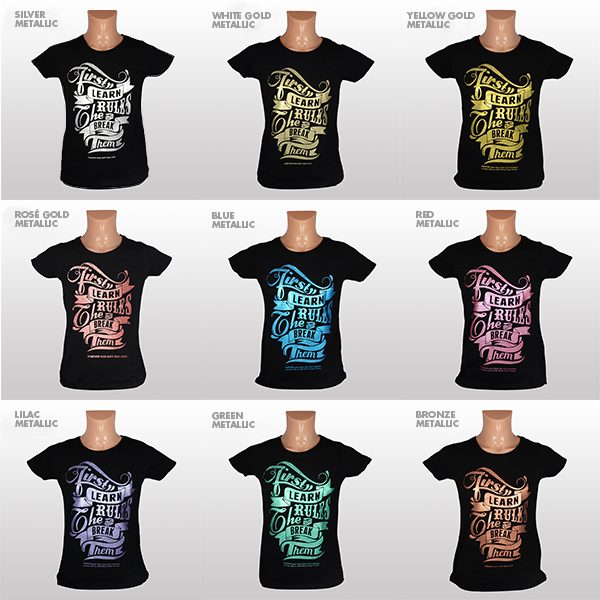
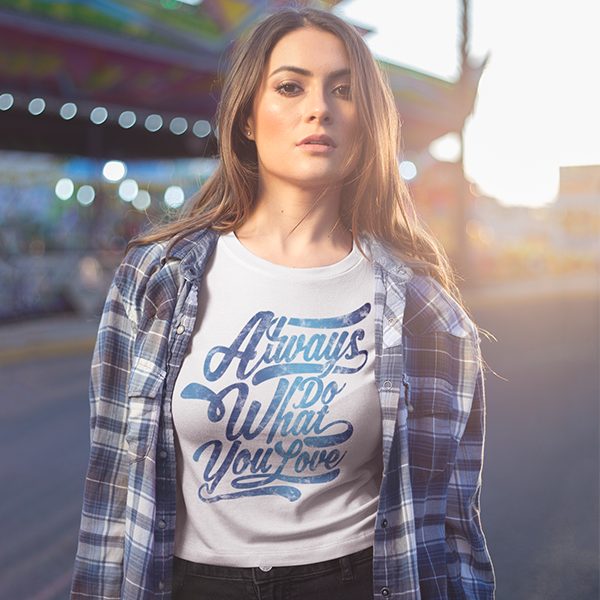
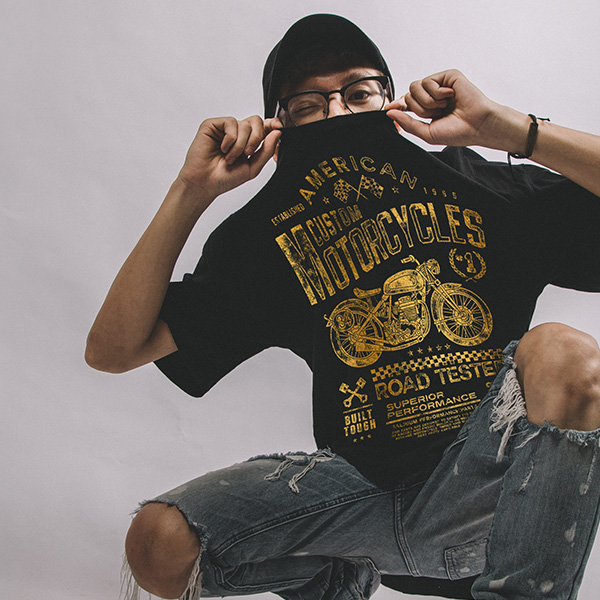
Flex-Soft (No cut) is a two-paper system for LED/laser printers with and without white toner. You can print single-colour transfer images without using special printers. Now you can transfer designs in white, metallic and neon colours, without special toner and without plotting. For printing on almost all types of fabric and hard surfaces (cotton, blended fabrics, polyester, nylon, polypropylene, paper, wood, etc.). Incredible design and motif possibilities. Fine details and complex graphics can be transferred without problems.


Print settings: 

Paper Setting: Film, Foil, Transparency
Print Setting: Multi-Purpose Tray, Single Sheet Feeder
Image Mode: Mirror Image

Colour settings for printing: 

Printer B&W: all colours: 100% black
Printer CMYK: all colours: 400% (Cyan 100% + Magenta 100% + Yellow 100% + Black 100% = 400% Black)
Printer with white toner: Neon colours – 100% White, Standard and metallic colours: 300% Black (Cyan 100% + Magenta 100% + Yellow 100% = 300 Black)

Printing:

Print the image mirrored onto the A-Foil material. Trim 1cm around the A-Foil image so that it is smaller than the B paper.

Heat press preparation:

Press the press until the lower surface is hot.

Transfer:

  1. To protect the silicone surface, place 1–2 sheets of ordinary paper on it.
  2. Place the A-Foil on the heat press surface (printable side up).
  3. Place the B-paper on the A-Foil (white layer facing down).
  4. Place 1–2 sheets of paper over everything to keep the heat press from getting dirty.

Heat press settings:

Temperature: 130 – 145C
Time: 90 seconds
Pressure: 2-3 bar

For bright designs with CMYK and white, increase the transfer time to 120 seconds.

After heat transfer, peel off the papers slowly and evenly.


Image on clothing:

  1. The image must be cut out so that the melt residue is also trimmed off the B paper.
  2. Place the fabric or other material on the lower heat press platen. Secure the A-Foil with heat transfer tape.
  3. Place baking paper on top and use the parameters depending on the fabric (see the table in the PDF attachment with instructions).
  4. Remove the A-Foil when it has cooled down.
  5. To give a matt effect and make the cotton item washable, cover the image with matt permanent paper and fix at 180 – 200°C for 30 seconds.


Laser A-film + B-paper A4 (5 pcs. + 5 pcs.)

SKU: 22411311 Category

5,95 €

including VAT 21% - 1,03 €

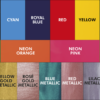
A-Foil Black A4
A-Foil Black A4
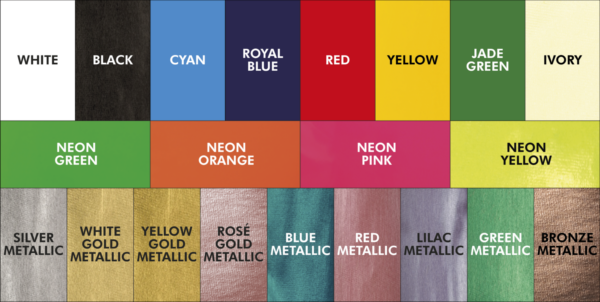
A-Foil Blue Metallic A4
A-Foil Cyan A4
A-Foil Cyan A4
A-Foil Green Metallic A4
A-Foil Jade Green A4
A-Foil Lilac Metallic A4
A-Foil Neon Green A4
A-Foil Neon Orange A4
A-Foil Neon Pink A4
A-Foil Neon Pink A4
A-Foil Red A4
A-Foil Red A4
A-Foil Red Metallic A4
A-Foil Royal Blue A4
A-Foil Silver Metallic A4
A-Foil White A4
A-Foil White A4
A-Foil White Gold Metallic A4
A-Foil Yellow A4
A-Foil Yellow A4
Clear

Product description

The set includes 5 A-Foil sheets (A4 format, chosen colour) + 5 B-paper sheets (A4 format).   Flex-Soft (No cut) is a two-paper system for LED/laser printers with and without white toner. You can print single-colour transfer images without using special printers. Now you can transfer designs in white, metallic and neon colours, without special toner and without plotting. For printing on almost all types of fabric and hard surfaces (cotton, blended fabrics, polyester, nylon, polypropylene, paper, wood, etc.). Incredible design and motif possibilities. Fine details and complex graphics can be transferred without problems.   Print settings:  Paper Setting: Film, Foil, Transparency Print Setting: Multi-Purpose Tray, Single Sheet Feeder Image Mode: Mirror Image Colour settings for printing:  Printer B&W: all colours: 100% black Printer CMYK: all colours: 400% (Cyan 100% + Magenta 100% + Yellow 100% + Black 100% = 400% Black) Printer with white toner: Neon colours – 100% White, Standard and metallic colours: 300% Black (Cyan 100% + Magenta 100% + Yellow 100% = 300 Black) Printing: Print the image mirrored onto the A-Foil material. Trim 1cm around the A-Foil image so that it is smaller than the B paper. Heat press preparation: Press the press until the lower surface is hot. Transfer:
  1. To protect the silicone surface, place 1–2 sheets of ordinary paper on it.
  2. Place the A-Foil on the heat press surface (printable side up).
  3. Place the B-paper on the A-Foil (white layer facing down).
  4. Place 1–2 sheets of paper over everything to keep the heat press from getting dirty.
Heat press settings: Temperature: 130 – 145C Time: 90 seconds Pressure: 2-3 bar For bright designs with CMYK and white, increase the transfer time to 120 seconds. After heat transfer, peel off the papers slowly and evenly.   Image on clothing:
  1. The image must be cut out so that the melt residue is also trimmed off the B paper.
  2. Place the fabric or other material on the lower heat press platen. Secure the A-Foil with heat transfer tape.
  3. Place baking paper on top and use the parameters depending on the fabric (see the table in the PDF attachment with instructions).
  4. Remove the A-Foil when it has cooled down.
  5. To give a matt effect and make the cotton item washable, cover the image with matt permanent paper and fix at 180 – 200°C for 30 seconds.
       

Product properties

Delivery information

Self-pickup (A. Deglava 166B, Riga)

Omniva parcel locker

Omniva courier

DPD Classic

Complete your order

Similar products